The best artwork for custom leather patches is a clean vector logo that still reads in one color, with no hairline strokes or tiny text. Send that to Customized Leather Patches and you get a free mockup within 24 hours that shows exactly how your mark will deboss or engrave before you approve anything.
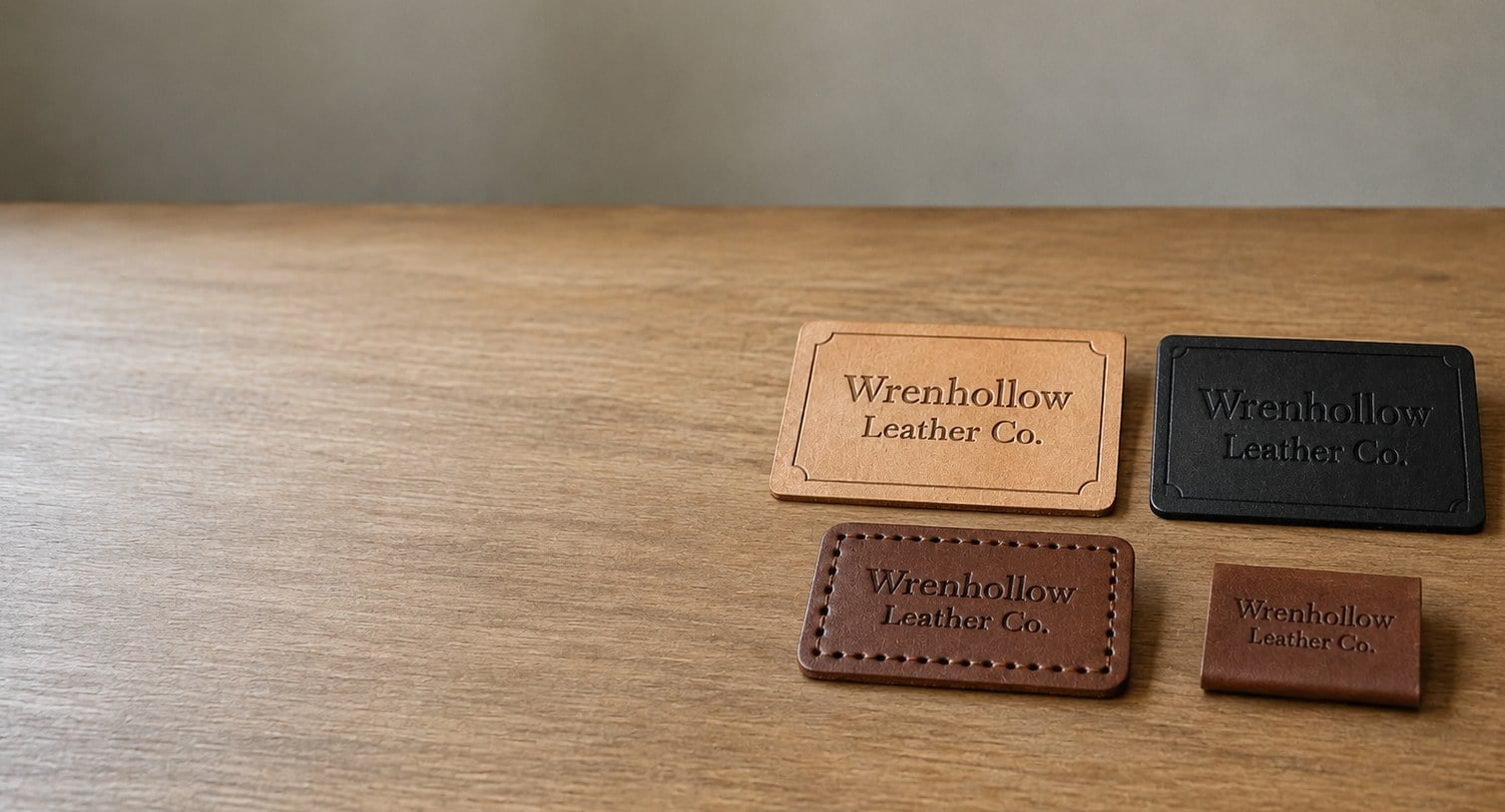
- Vector files (AI, EPS, SVG or vector PDF) give the sharpest debossed and engraved edges.
- Leather patches are marked in one tone, so every logo is converted to a single-color version.
- Hairline strokes, tiny text and soft gradients are the details most likely to blur in leather.
- Customized Leather Patches returns a free mockup within 24 hours with unlimited free revisions.
- You pay nothing until you approve the design; the minimum order is 12.
What file format should I send for custom leather patches?
Send a vector file for custom leather patches whenever you have one: AI, EPS, SVG or a PDF saved from a design program with the shapes intact. Vector artwork is built from paths rather than pixels, so the production team can scale the mark to your patch size and cut a debossing die or set a laser path with clean, crisp edges.
If your logo only exists as a PNG or JPG, send the largest, sharpest version you have rather than a screenshot or a social media avatar. Customized Leather Patches can work from a raster file, but soft or pixelated edges show up as fuzzy borders once they are pressed into leather. Logos pulled from an email signature or a website header are usually too small to trace cleanly.
- Best: the original vector file from whoever designed the logo.
- Good: a high-resolution PNG with a transparent background.
- Workable: a clear photo or scan of a printed piece, for a simple mark.
- Avoid: screenshots, compressed social images and files with text typed in a font you no longer have.
When fonts are part of the design, convert the text to outlines before exporting, or tell the team which typeface it is so the lettering matches.
Why do leather patches need a one-color version of my logo?
Leather patches need a one-color logo because debossing and laser engraving both mark the surface in a single tone. Debossing presses the design into the hide, leaving a darker, recessed impression; engraving burns the design in, producing a contrast that depends on the leather color. Neither method lays down ink, so a full-color logo has to be translated into solid shapes and open space.
Many brands already have a one-color or knockout version in their brand guidelines, and that is the file to send. If you only have the full-color logo, Customized Leather Patches converts it during the mockup, but you should look closely at the result. Areas that were separated only by color, such as a red letter next to a blue letter of the same weight, can merge into one shape once both become the same tone.
Gradients, drop shadows and photographic elements do not translate to leather. Replace them with solid fills, simple outlines or deliberate negative space. A logo that already works on a rubber stamp or a single-color screen print will usually look excellent on debossed leather patches.
How much detail can a debossed or engraved leather patch hold?
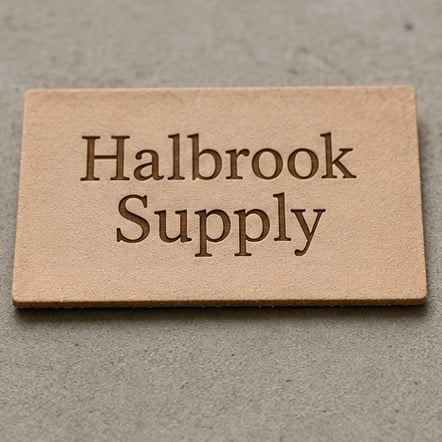
A debossed or engraved leather patch holds bold shapes and clear lettering well, but very fine detail softens because leather has a natural grain and some give. Thin strokes can close up, small counters in letters like e and a can fill in, and tiny taglines can become hard to read at arm’s length on a hat or jacket.
The two methods behave a little differently, which is worth knowing when you choose a process:
| Design element | Debossed | Laser engraved |
|---|---|---|
| Bold outline logos | Excellent, crisp recessed edges | Excellent, sharp contrast |
| Small text and taglines | Softens first; keep it short and heavy | Holds slightly finer lettering |
| Thin hairline strokes | Often close up or vanish | Can scorch unevenly on textured hides |
| Large solid areas | Can press unevenly; consider an outline | Burns evenly into a dark field |
| Shading and gradients | Not possible | Not reliable; use solid shapes |
If your mark relies on fine detail, engraved leather patches are often the better match. For a heritage, tactile look with a simple mark, debossing is hard to beat.
Should I simplify my logo for a small leather patch?
Yes, simplify your logo for a small leather patch when the full version includes a long tagline, a website address, or a cluster of small icons. The patch only has so much surface, and every element competes for it. A hat front patch, for example, reads best with one strong symbol or a short wordmark.
Simplifying does not mean redesigning. Most brands already have a stacked logo, a monogram or an icon-only version, and any of those is a better starting point than the full horizontal lockup. Practical edits that keep the brand recognizable include:
- Dropping the tagline or moving it to a separate, larger patch.
- Removing the website or phone line, which rarely reads in leather.
- Thickening thin outlines so they survive pressing or burning.
- Opening up tight letter spacing so letters do not merge.
- Choosing a patch shape that follows the logo, such as a circle for a round badge.
When you are unsure, ask for two versions in your mockup request: the full logo and a simplified one. Customized Leather Patches offers unlimited free revisions, so comparing both side by side costs you nothing and usually makes the choice obvious. Pairing the right artwork with the right use, such as brewery hats and aprons, matters as much as the file itself.
Does the leather color change how my artwork looks?
The leather color changes how artwork looks on leather patches more than most first-time buyers expect. On a light natural or tan hide, both debossing and engraving produce a visible darker mark. On a dark brown or black hide, a debossed mark relies on shadow and texture, and an engraved mark shows much less contrast.
That is why a logo that pops on a tan patch can look quiet on a darker one. If strong contrast matters, for example on a hat that will be photographed for social media, lighter leather tones give the clearest result. If you prefer a subtle, tone-on-tone look, a debossed dark patch can be exactly right.
Vegan and faux leather patches also react differently from genuine hide, especially under a laser, so mention the material you want when you send artwork. Your mockup should show the logo on the actual leather tone you are ordering, not a generic swatch.
How do I check a leather patch proof before I approve it?
Check a leather patch proof by reviewing the logo at the size it will really be produced, not zoomed in on a screen. Customized Leather Patches sends a free mockup within 24 hours, and nothing is produced or charged until you approve it, so this is your chance to catch problems while they are still free to fix.
- Spelling and names. Read every word letter by letter, including any city, est. line or slogan.
- Actual size. View the proof at the stated patch size and ask whether the smallest text is still readable.
- One-color conversion. Confirm that shapes separated only by color in your original logo are still distinct.
- Leather tone and method. Make sure the proof shows the hide color and the deboss or engrave process you want.
- Shape and edges. Check the patch outline and whether the design sits centered with enough margin.
- Backing and placement. Confirm sew-on or heat-seal backing matches the products you will put the patches on.
Request a revision for anything that looks off. Revisions are unlimited and free, and the standard turnaround of about two weeks starts after approval, so a careful review rarely costs you time.
What artwork mistakes slow down a leather patch order?
The artwork mistakes that slow down a leather patch order are usually small and avoidable. Most delays come from missing files, unclear instructions or late changes after a proof has already been approved.
- Sending a low-resolution logo pulled from a website, then needing to track down the original.
- Not saying which version to use when a brand has several logos, which leads to an extra revision round.
- Expecting full color on a debossed or engraved patch and only discovering the one-tone result at proof stage.
- Keeping every element of a large logo on a small patch, then shrinking text until it no longer reads.
- Changing quantity or backing after approval, which can reset the schedule.
A short note with your quote request solves most of these: the file, the version you prefer, the patch size and shape you have in mind, the leather tone, the method, the backing and the quantity, starting from a minimum of 12. The how it works page walks through each step, and the quote form accepts your artwork directly.
Frequently asked questions
What is the best file type to upload for a leather patch logo?
For leather patches, the best upload is a vector file such as AI, EPS, SVG or a PDF exported with live shapes. Vector paths scale cleanly to any patch size and give the debossing die or laser path sharp edges. If no vector exists, Customized Leather Patches can work from a large, clear PNG, though fuzzy pixels may soften the final impression.
Can my leather patch include a website address or phone number?
Leather patches can include a short website address, but long URLs and phone numbers rarely read well once pressed or engraved into leather. Small characters soften and crowd together. A better approach is a bold logo on the patch and contact details elsewhere, such as a hang tag. Customized Leather Patches can mock up both options so you can compare them before approving.
How do I convert my full-color logo into a one-color leather patch design?
Leather patches mark in one tone, so a full-color logo becomes solid shapes and open space. Start with any one-color or knockout version from your brand guidelines. If none exists, Customized Leather Patches converts the logo during the free mockup, and you review whether shapes separated only by color still stand apart before approving the design.
Will a thin script font work on a debossed leather patch?
A thin script font often struggles on a debossed leather patch because hairline strokes can close up when pressed into the grain. Heavier script styles with generous spacing hold up much better. If your brand script is delicate, ask for a version with slightly thickened strokes, or consider laser engraving, which usually holds finer lettering than debossing on smooth leather.
Should a leather patch logo have a border around the edge?
A border on a leather patch is optional but often helpful, because it frames the logo and gives the patch a finished, badge-like look. A simple outline set in from the cut edge works well for debossed designs. Very thin borders may fade into the grain, so keep the line bold. Your mockup will show the border at actual size.
Can I put two different logos on one batch of leather patches?
Leather patches within one order normally share a single design, because a debossing die or laser setup is prepared for one piece of artwork. Two logos usually means two designs, each quoted on its own. Customized Leather Patches can advise on splitting the quantity, and every design still receives its own free mockup within 24 hours for review.
How large should the smallest text be on a leather patch?
The smallest text on leather patches should still be readable at arm's length when you view the proof at actual size. Rather than following a fixed measurement, judge it on the mockup: if you squint to read a word on screen, it will look worse pressed into leather. Customized Leather Patches can enlarge, thicken or remove small lines during revisions.
Is a hand-drawn sketch enough to start a leather patch order?
A hand-drawn sketch can start a leather patch order when the idea is simple, such as initials, a basic badge shape or a short wordmark. Photograph the sketch in good light, flat and in focus, and describe the result you want. Customized Leather Patches uses the sketch as a guide for the free mockup, which you can revise as many times as needed.
Why does my leather patch proof look different from my printed logo?
A leather patch proof looks different from a printed logo because leather shows the design as a single impressed or burned tone instead of ink colors. Fine shading disappears, and contrast depends on the hide color you chose. The proof from Customized Leather Patches is meant to preview that real result, so compare it to the patch, not to your brochure.
Who owns the artwork created for my leather patches?
Your logo and brand marks on leather patches remain yours, and supplying artwork does not transfer your trademark to anyone. Adjustments made during the mockup, such as a simplified one-color version, exist only to produce your patches. Keep a copy of the approved proof so you can reorder the same design later and keep future batches consistent with the first one.
What should I write in the notes when I submit leather patch artwork?
When you submit leather patch artwork, the notes should list the logo version you prefer, the approximate patch size and shape, the leather tone, deboss or engrave, sew-on or heat-seal backing, and the quantity. Mention anything that must not change, such as exact letter spacing. Clear notes help Customized Leather Patches get your mockup right on the first pass.
Can I approve leather patch artwork for a client or another department?
Leather patch proofs can be forwarded to a client, manager or marketing lead before approval, and that is often the smartest step for branded merchandise. Nothing is produced until the design is approved, so gather sign-off from whoever owns the brand first. Late changes after approval can shift the schedule, so a single final reviewer keeps the order moving.
Get a free mockup for your leather patches
Send your logo or idea and the quantity you have in mind. Customized Leather Patches returns a free mockup within 24 hours, you approve the design before anything is produced, and standard turnaround is about two weeks with faster options available. Get a custom quote.